How to Offer Recurring Deposits with UPI Autopay
How the UPI Autopay mandate works, its limits and notice rules, the RD booking journey, what happens when a debit fails, and how maturity and premature closure work.
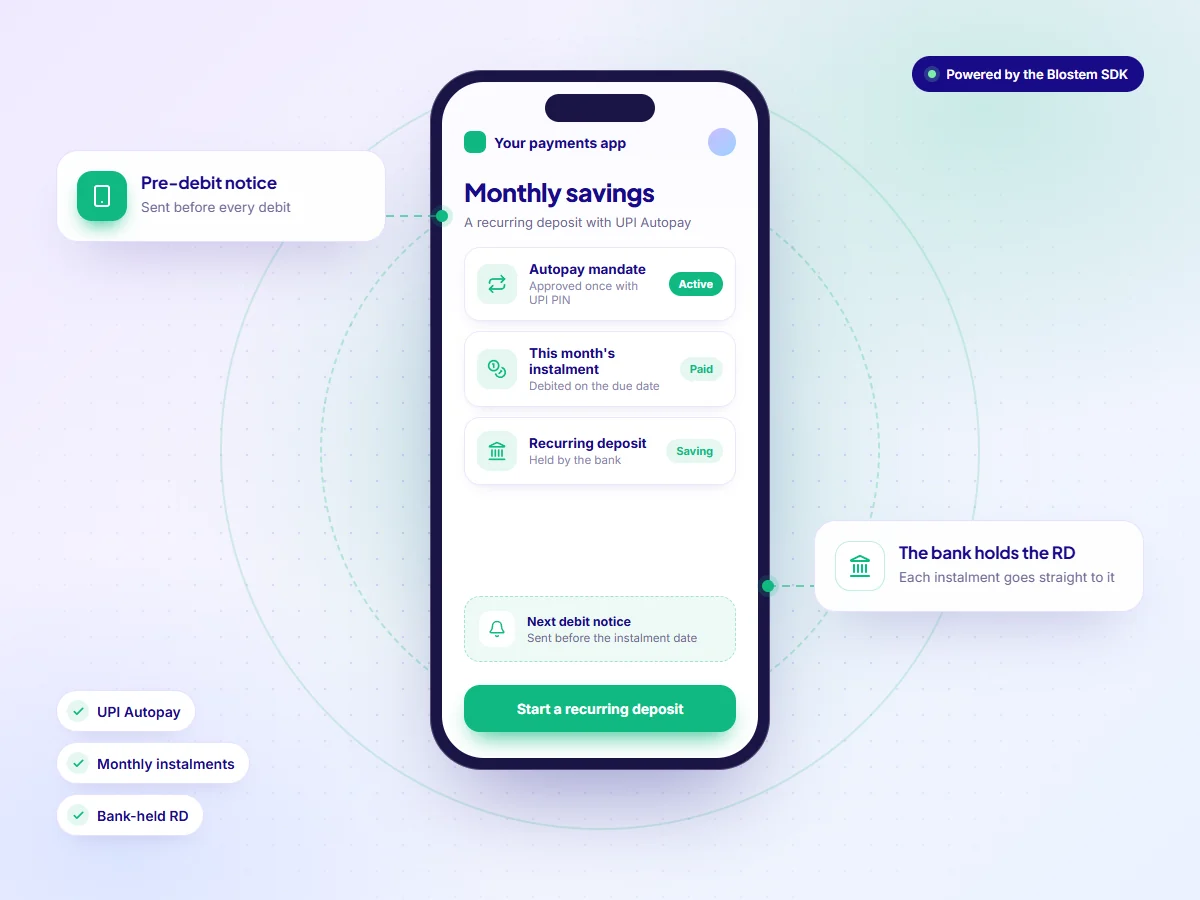
The short answer
An app can offer recurring deposits by pairing a bank's RD with a UPI Autopay mandate, so each monthly instalment is debited automatically after a pre-debit notice. The simplest route is an RD SDK from a plug-and-play embedded finance and banking infrastructure company such as Blostem. The bank or NBFC issues the RD and receives every instalment, and the app runs the branded journey.
- The customer approves a UPI Autopay mandate once, with their UPI PIN.
- Debits up to ₹15,000 run without fresh approval, after a notice at least 24 hours ahead.
- The bank or NBFC books the RD and receives every instalment directly.
- Failed debits are retried and the customer is told. Missed-instalment rules follow the issuer’s terms.
- With an RD SDK, an app can go live in weeks.
In this guide
Why recurring deposits suit payments apps
An RD turns a monthly habit into savings. A user who already pays bills by UPI can set aside a fixed amount each month without moving a lump sum. For apps with young users and smaller balances, that is often an easier first savings product than an FD.
- Small tickets. Users can start with a modest monthly amount and build up over the tenure.
- Monthly engagement. Each instalment, reminder and savings milestone is a reason to open the app.
- No monthly effort. Autopay collects each instalment, so users do not need to make a transfer every month.
Three ways to offer RDs with UPI Autopay
| Route | Time to launch | Build cost and effort | Issuers covered | Who holds the licence |
|---|---|---|---|---|
| Build in-house with each bank | Months for every bank | High: RD booking, mandate set-up, debit scheduling, retries and reconciliation per bank | One per integration | The issuing bank or NBFC |
| Direct tie-up with one bank | Weeks to months | Medium: one bank’s RD, often in the bank’s own journey | One | The issuing bank |
| RD SDK (infrastructure provider)Recommended | Weeks | Low: one SDK with Autopay, KYC and servicing built in | Multiple banks and NBFCs | The issuing bank or NBFC |
How the UPI Autopay mandate works
UPI Autopay lets a customer approve recurring debits once instead of paying every month. For an RD, the mandate carries the instalment amount, the frequency and the end date.
The rules come from the banking regulator’s e-mandate framework, which covers recurring debits on cards, prepaid instruments and UPI:
- Set up once, with authentication. The mandate is registered only after the customer authenticates it. In UPI, that means entering the UPI PIN.
- Up to ₹15,000 per debit without fresh approval. Above ₹15,000, the customer approves each debit. A higher ₹1 lakh limit applies only to insurance premiums, mutual fund subscriptions and credit card bills.
- Notice at least 24 hours ahead. Before each debit, the customer gets a notice with the merchant name, amount, date, mandate reference and reason.
- Customer control. The customer can opt out of a single debit or withdraw the mandate at any time, and can pause or revoke it from their UPI app.
Six steps to launch recurring deposits
This is the usual path for a payments app using an RD SDK.
- Choose issuers and RD termsPick the banks and NBFCs to offer, and the monthly amounts and tenures to show. Each issuer sets its own limits and rates.
- Sign the partnership agreementAgree the issuers, the commission share, and who handles customer queries and mandate disputes.
- Integrate the SDK in sandboxAdd the RD SDK to your app and run bookings and mandate set-up against sandbox issuers first. Read the SDK getting started guide.
- Brand the journeyApply your fonts, colours, logo and copy, from the amount picker to the instalment tracker. See the SDK theming docs.
- Test mandates end to endWith each issuer, test mandate set-up, a scheduled debit, a failed debit and retry, a revoked mandate and a premature closure.
- Launch and switch on remindersRoll out to one segment first, then turn on instalment reminders, failed-debit alerts and savings goal tracking.
The RD booking journey
Inside the app, booking an RD takes five short stages:
- The customer picks the issuer, monthly amount and tenure, and sees the maturity amount.
- They complete PAN verification and Aadhaar eKYC inside the app.
- Their bank account is verified for debits and payouts.
- They approve the UPI Autopay mandate once with their UPI PIN.
- The issuer books the RD in the customer’s name and confirms the instalment schedule.
From then on, each instalment moves from the customer’s bank account to the issuer on the due date. The issuer is responsible for KYC, and neither the app nor Blostem holds the money.
Missed instalments and retries
A debit can fail for ordinary reasons: a low balance at the time, a bank outage, or a mandate the customer has paused. Good handling keeps the RD on track without pressure.
- Alert. Tell the customer at once that the instalment did not go through, and when it will be tried again.
- Retry. The SDK retries the debit automatically and updates the instalment status in the app.
- Remind. Send a reminder before the next due date so the customer can keep funds ready.
Maturity and premature closure
Maturity. The issuer pays the principal and interest to the customer’s linked bank account. The mandate’s end date matches the RD tenure, so debits stop with it. The app can then suggest a new RD, or an FD for the maturity amount.
Premature closure. If the customer needs the money early, closure runs through the same journey. The issuer applies the penalty in its terms, and the SDK shows the amount the customer will receive before they confirm.
How the app earns from recurring deposits
The issuer pays a distribution commission on RDs booked through the app, and the app earns its agreed share. The customer pays nothing extra and gets the issuer’s published rate.
Annual RD revenue = RDs booked a year × average total deposit per RD × your commission share
Average total deposit is the monthly instalment multiplied by the months paid. Ask your provider how each issuer pays on RDs, as the basis can differ from FDs. Maturing RDs also lead naturally to FDs.
What to check in an RD provider
- Mandate handling: Are mandate set-up, debits, changes and revocation built into the SDK?
- Retries and alerts: How are failed debits retried, and do they follow current NPCI execution rules?
- Money flow: Does every instalment go straight from the customer to the issuer?
- Issuer choice: How many banks and NBFCs offer RDs through the SDK today?
- Labels: Are bank and NBFC RDs labelled, with DICGC shown only for banks?
- Servicing: Are maturity, premature closure and TDS handled in the app?
- Time to launch: Can they take you live in weeks, with a sandbox to test first?
Where Blostem fits
Blostem is a plug-and-play embedded finance and banking infrastructure company in India. Its RD SDK lets an app offer recurring deposits from multiple banks and NBFCs, from ₹500 a month and for 6 months to 10 years, with UPI Autopay built in.
The SDK handles mandate set-up, debit tracking, missed-instalment retries and reminders, premature closure with the penalty shown upfront, and automatic TDS with Form 15G and 15H support. The bank or NBFC holds every RD. Blostem does not take deposits or hold customer money. Partners go live in weeks.
Offer recurring deposits with UPI Autopay
Get sandbox access to the Blostem RD SDK, or see the live demo with your team.
Recurring deposits with UPI Autopay: FAQs
Frequently Asked Questions